
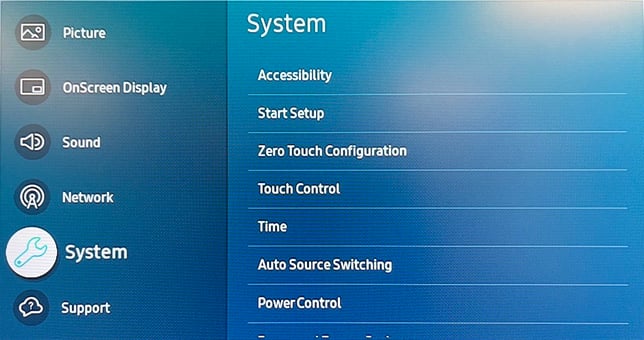
On the remote there is a button called menu, when you press it you should see this:
- Select system:
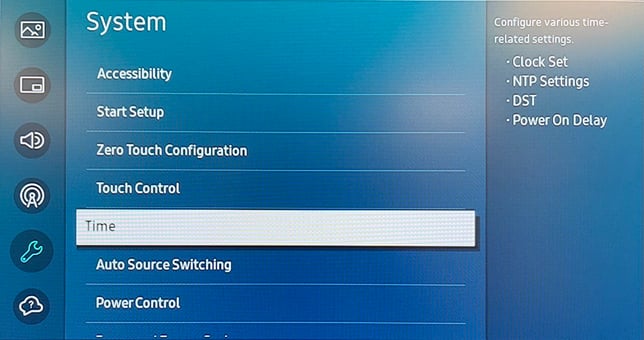
- Select Time:
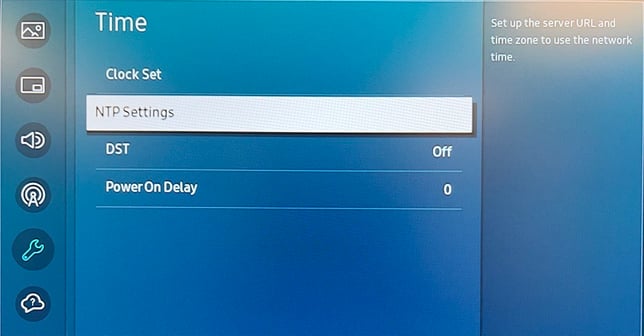
- Select NTP Settings:
- Activate NTP(Network Time Protocol)
- Select ServerURL and input: "pool.ntp.org"
- Choose your preferred timezone.
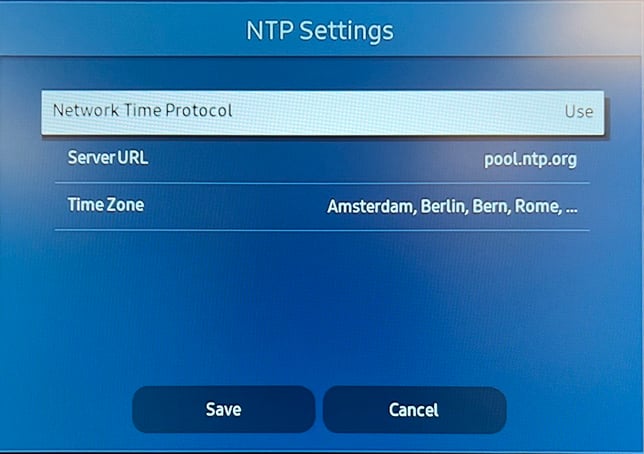
-
Save and press return to close the menu.
Now the screen should correct the time and date when it is connected to the internet.