I PLAYipp kan du selv velge hvilket språk grensesnittet skal vises på. Følg trinnene nedenfor for å endre språkvalget under personlige innstillinger.
Steg-for-steg-guide
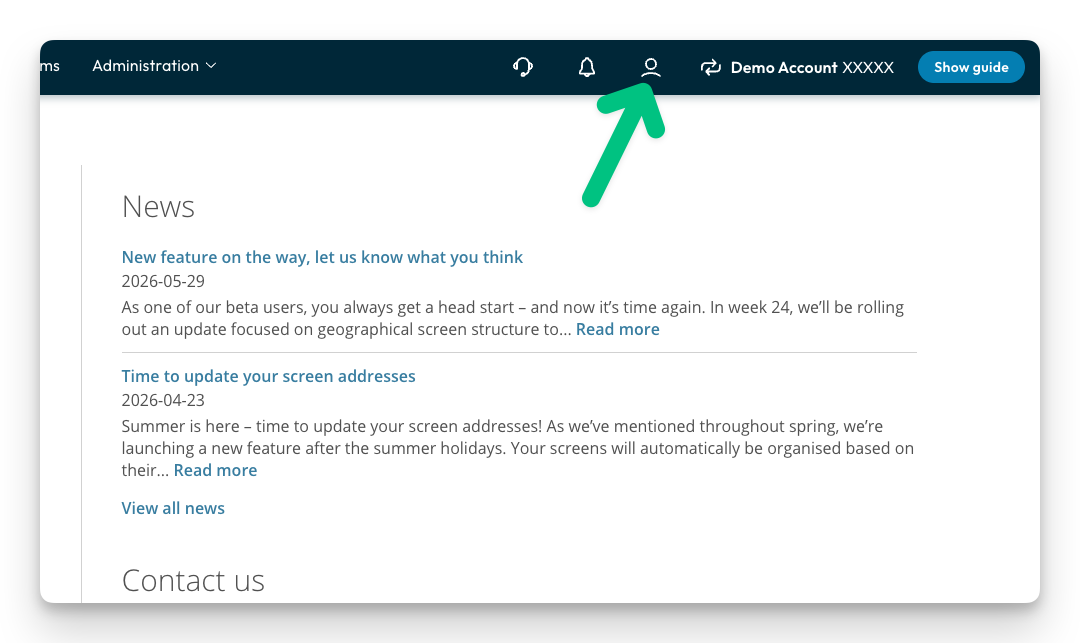
- Click the user icon in the top right corner of the screen.
-
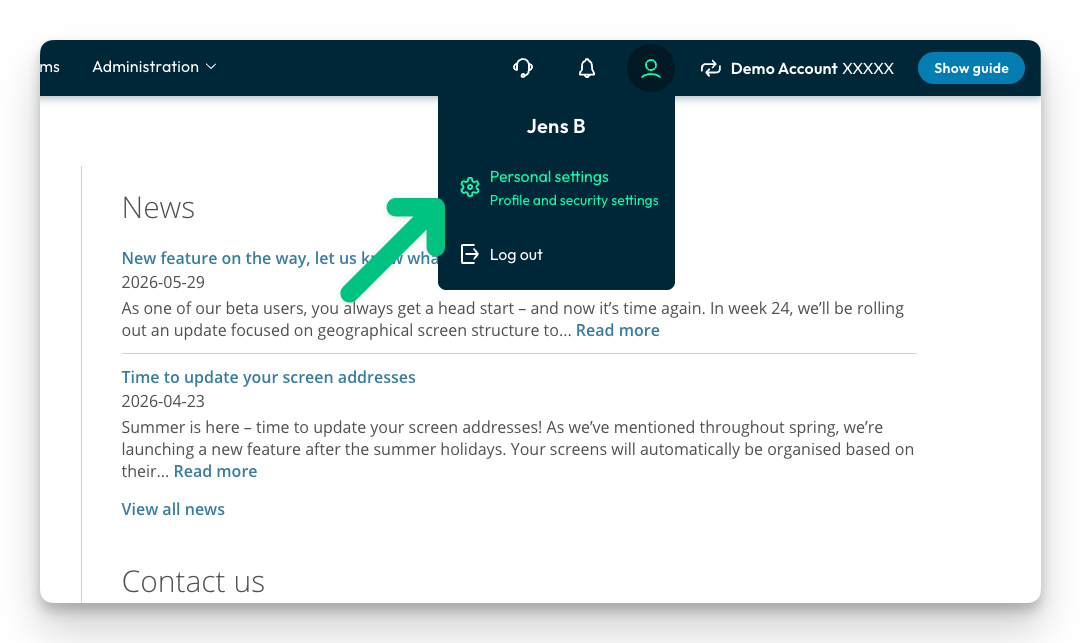
Click Personal settings in the menu that opens.
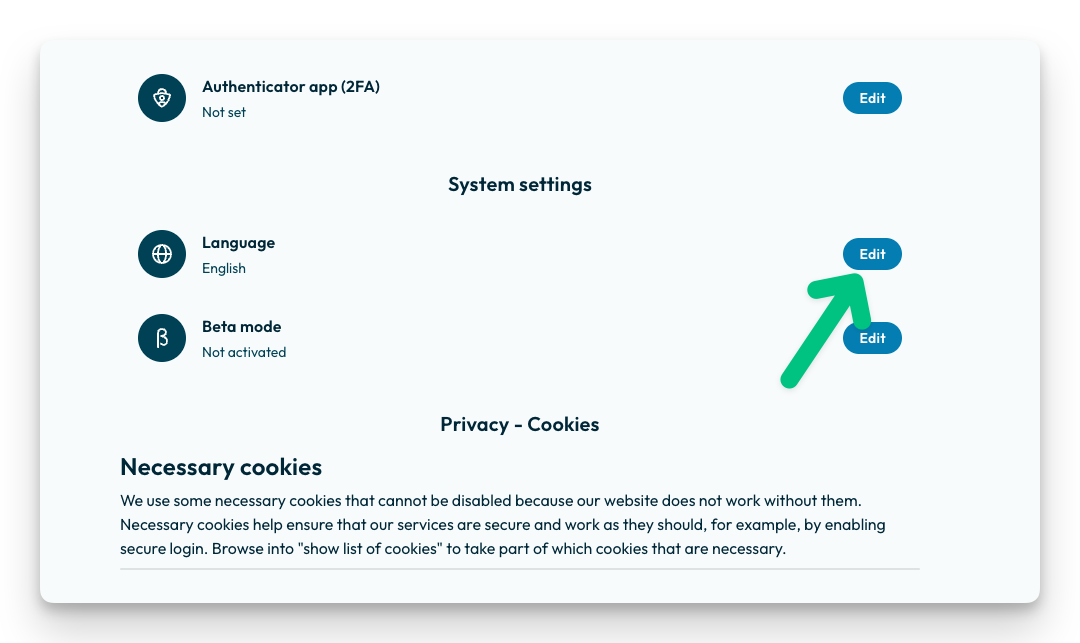
- Click Edit
-
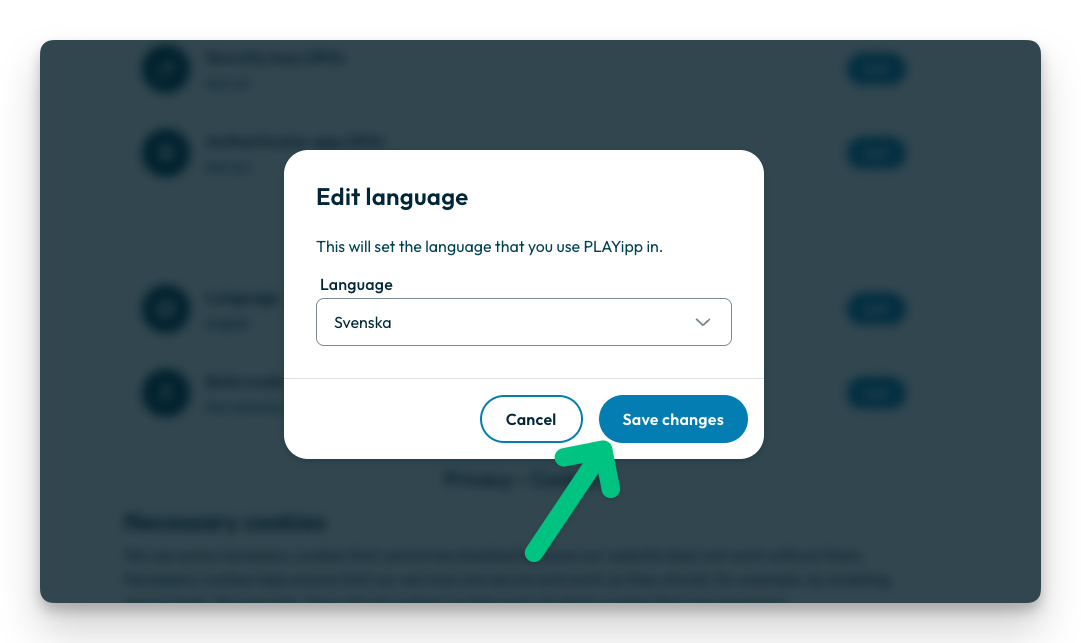
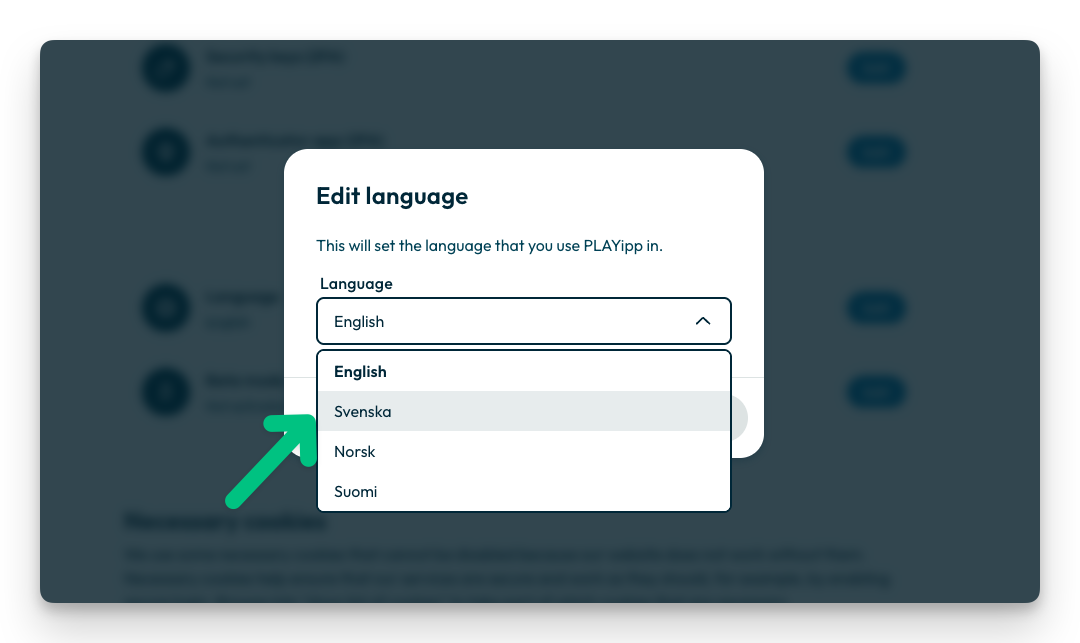
Choose the language you want to switch to from the list.
-
Click Save changes to confirm and activate the new language.