
As a user in PLAYipp, you may have access to several different customer accounts. This could be because you work for multiple organizations or manage different operations. To make it easy to navigate between these accounts, PLAYipp has a smooth account-switching feature.
How to switch accounts
-
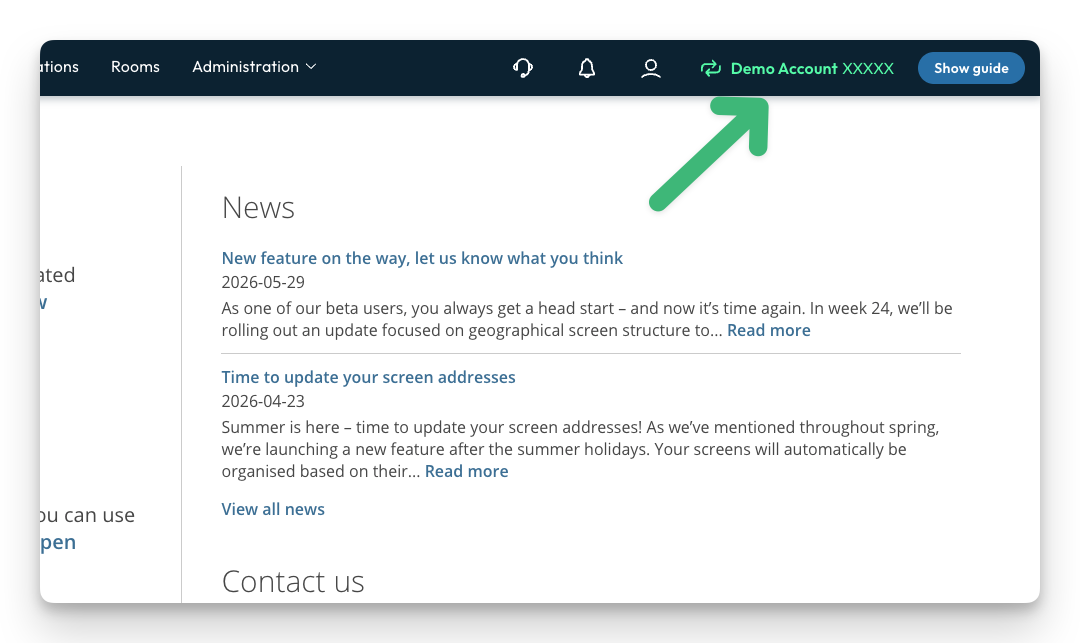
In the upper right corner of PLAYipp, you will find the account-switching feature. Here, the account you are currently logged into is displayed.
-
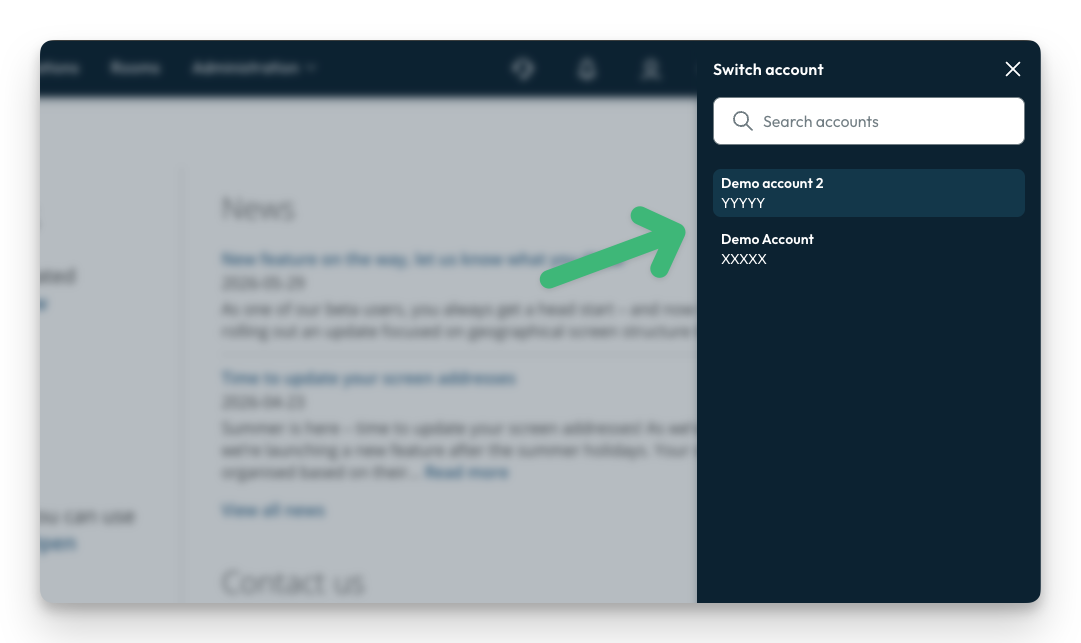
When you click on the account selector, a list of all customer accounts you have access to will appear. The list clearly shows the name of each account, making it easy to see which organizations or operations you can switch between.
-
To switch accounts, simply click on the account you want to switch to in the list. The system will then immediately switch you to the selected account, and you will gain access to that customer's data, settings, and features.
Why is this useful?
The ability to quickly switch between customer accounts saves time and makes your work more efficient. Instead of logging out and back in again, you can switch between different customer accounts with just a few clicks and continue working without interruption.
This is especially valuable if you work as a consultant, administrator, or in a role where you need to manage multiple customer accounts on a daily basis. You can easily move between organizations to publish content, adjust playlists, or update settings, all from the same login. This reduces the risk of mistakes, makes it easier to keep track of what has been done in each account, and gives you a smoother, more controlled workflow in PLAYipp.