
Note: The images in this guide show an older version of PLAYipp with the previous main menu. Read more about the new main menu in this article.
With our integration with Microsoft Teams, you can automatically display posts from selected channels directly on your screens via a feed widget in PLAYipp. This makes it easy to spread important internal communication to more people – without anyone needing to log into Teams.
Table of Contents:
What can be displayed?
With the integration, you can:
- Display posts from one or more specific Teams channels
- Automatically fetch new posts and display them as a continuous feed
- Customize how much and how long each post appears in your feed widget
NOTE: You need to have administrator rights in Microsoft Teams to set up the integration.
Requirements
Before you begin, you need:
- An active Microsoft 365 account with access to Teams
- Administrator rights in both Microsoft Teams and PLAYipp
Frequently Asked Questions
- How often is the feed updated?
Posts are updated every 20 minutes, but this may vary depending on your Microsoft environment. - Can I filter which posts are displayed?
Currently, all posts from the selected channel are displayed. - Can I display images or documents?
Images from posts can be displayed, but documents cannot be displayed.
Get started with the integration
Follow these steps to get started with the integration:
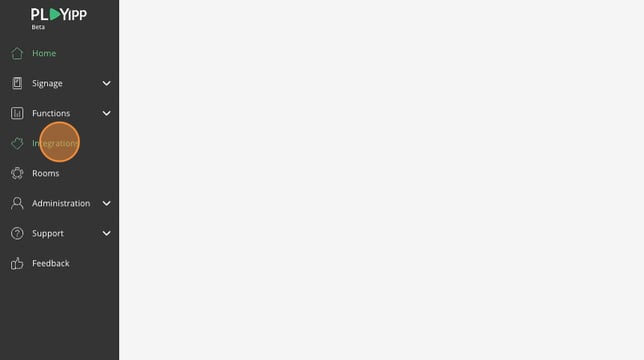
- Click "Integrations"
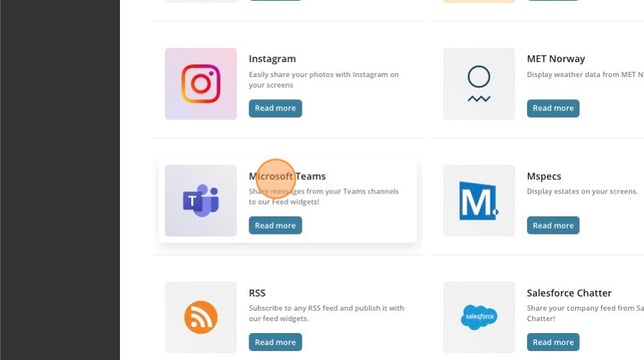
- Click "Microsoft Teams"
- Click "Add to PLAYipp"

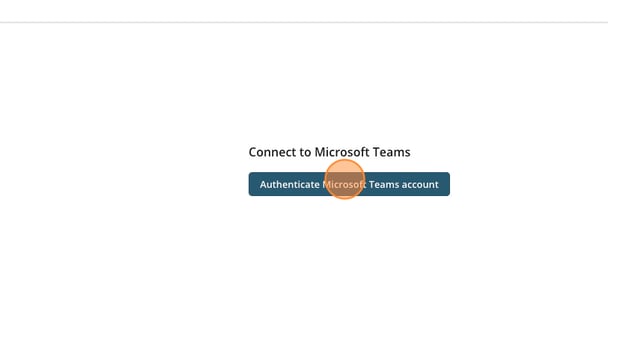
- Click "Authenticate Microsoft Teams account"
- Click "Add source"
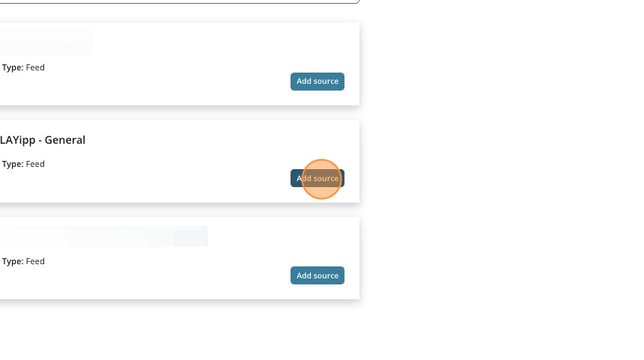
Now you have a source that you can use in a feed widget. can can follow this guide to see how you add a feed widget here: How to add a feed widget