
With a integration against Microsoft calendar you can easily display one or several calendars on screen. It can for example be a shared calendar or the calendar of a meeting room.
Table of Contents
- Prerequisites and API information
- Add integration to your screen
- Displaying private meetings in Exchange calendars
Prerequisites and API information
To add a calendar, you need to have some special rights. We use Microsoft's Graph API. We check for calendars against the following endpoints:
https://graph.microsoft.com/v1.0/me/calendars
https://graph.microsoft.com/v1.0/me/calendarGroups
https://graph.microsoft.com/v1.0/me/calendarGroups/${group.id}/calendars
It is possible to test calls as a logged in user here: https://developer.microsoft.com/en-us/graph/graph-explorer
If you have questions about rights, it is easiest to contact Microsoft support with the information above
To add an integration to your screen
Note: The images in this guide show an older version of PLAYipp with the previous main menu. Read more about the new main menu in this article.
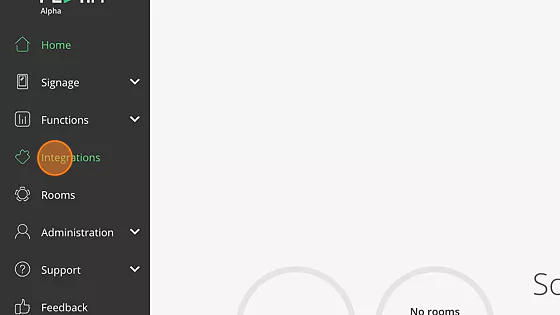
- Click "Integrations"
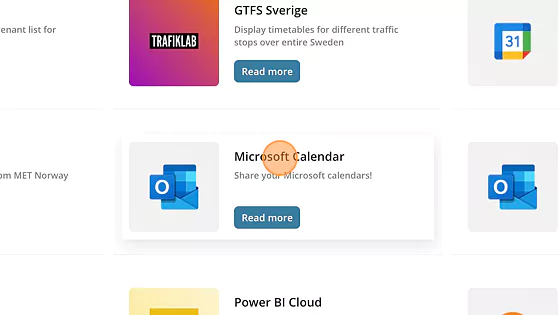
- Click "Microsoft Calendar"
- Click "Add to PLAYipp"

- Click “Authenticate Microsoft Calendar Account”
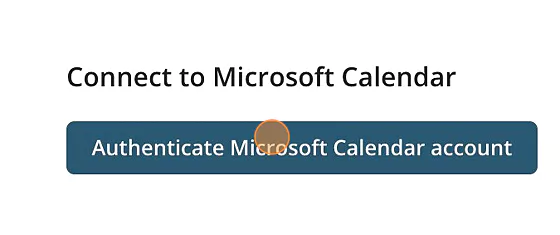
NOTE! If you are not signed in on your web browser and you will be prompted to sign in to your account. - Click "Add source"
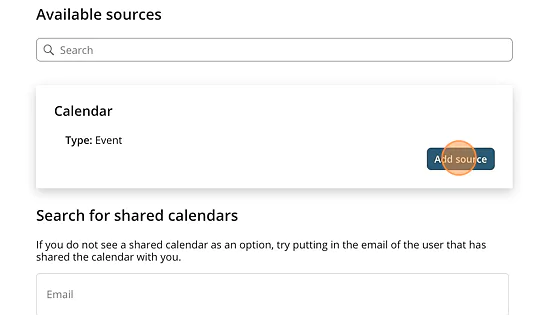
Now you have a source that you can add to a event widget.
You can read how you add a event widget here: How to add a event widget
Displaying private meetings in Exchange calendars
In Microsoft Exchange calendars, meeting titles and private status are hidden by default for meetings marked as "Private". To allow PLAYipp to display these meetings correctly, an Exchange setting needs to be adjusted.
Note: This requires running a PowerShell command by an administrator with the appropriate permissions in your Exchange environment. This setting cannot be configured through Microsoft's graphical interface.
How to do it:
- Open PowerShell Launch PowerShell as an administrator on your computer.
- Connect to Exchange Online Run the following command and sign in with your administrator account:
Connect-ExchangeOnline
- Apply the setting Paste and run the line below. Replace the email address with the address of the relevant calendar:
Set-CalendarProcessing -Identity "room.name@company.com" -RemovePrivateProperty $false
This setting needs to be applied for each calendar where private meetings should be displayed.